Key takeaways
- Lightshot shares screenshots as public prnt.sc links; FramedShot keeps every capture local by default with no public URL.
- FramedShot adds browser frames, blur/pixelate/solid-fill redaction, and annotations in the same editor — Lightshot does not.
- Both tools are free Chrome extensions that require no account and support selected-area capture.
- Your Lightshot history and prnt.sc links are unaffected; the switch is not disruptive.
Why users switch from Lightshot
Lightshot is fast and simple. Those are real strengths. But two patterns push users toward an alternative.
The first is the public link default. When you share from Lightshot, the screenshot goes to prnt.sc, where anyone with the URL can view it. That works for casual captures. It becomes a problem the moment a browser tab contains an email address, a customer dashboard, internal tooling, or anything else you wouldn't post publicly.
The second is the ceiling on editing. Lightshot captures and adds basic markup. It doesn't add browser frames for polished product visuals, it doesn't redact specific regions before the image leaves your device, and it doesn't format exports for docs, changelogs, or social posts. For everyday screenshots that's fine. For anyone who prepares screenshots for professional use, the limitations add up quickly.
What FramedShot adds as a free Lightshot alternative
| Feature | Lightshot | FramedShot |
|---|---|---|
| Tab and area capture | Yes | Yes |
| Basic annotations (arrows, text) | Yes | Yes |
| Public screenshot links | Yes (prnt.sc) | No |
| Local-only processing | No | Yes |
| Browser frames and mockups | No | Yes |
| Blur / pixelate / solid-fill redaction | No | Yes |
| Social and export presets | No | Yes |
| Account required | No | No |
| Free | Yes | Yes |
| Chrome extension | Yes | Yes |
Local-first processing, no public link
FramedShot captures and edits screenshots inside Chrome. When you export, the image goes directly to your device or clipboard. Nothing passes through a server or generates a public URL. The local-first processing model is built in by default, not an optional setting.
Redaction before export
Browser screenshots regularly contain details you don't want in the final image: email addresses in a page header, customer account IDs, API keys in a terminal tab, internal URLs. FramedShot has blur, pixelate, and solid-fill redaction built into the editor. Redact the region first, then export a clean image.
Browser frames and polished mockups
Lightshot stops at the raw screenshot. FramedShot can wrap the same capture in a browser frame with a background and padding, turning a visible-tab screenshot into a product visual ready for a changelog, launch post, or documentation page.
What stays the same
If you use Lightshot because it's free, fast, and works as a Chrome extension with no signup, that part carries over exactly. FramedShot is also free, also runs as a Chrome extension, supports selected-area capture, and requires no account.
One honest limitation: FramedShot doesn't capture scrolling full-page screenshots. If you rely on Lightshot for long-page captures, use Chrome's built-in DevTools capture for that step, then bring the image into FramedShot for editing and export.
Your Lightshot history and prnt.sc links are unaffected. FramedShot doesn't import or replace them. Keep anything you still need, then use FramedShot for new browser captures going forward.
How switching to this Lightshot alternative works
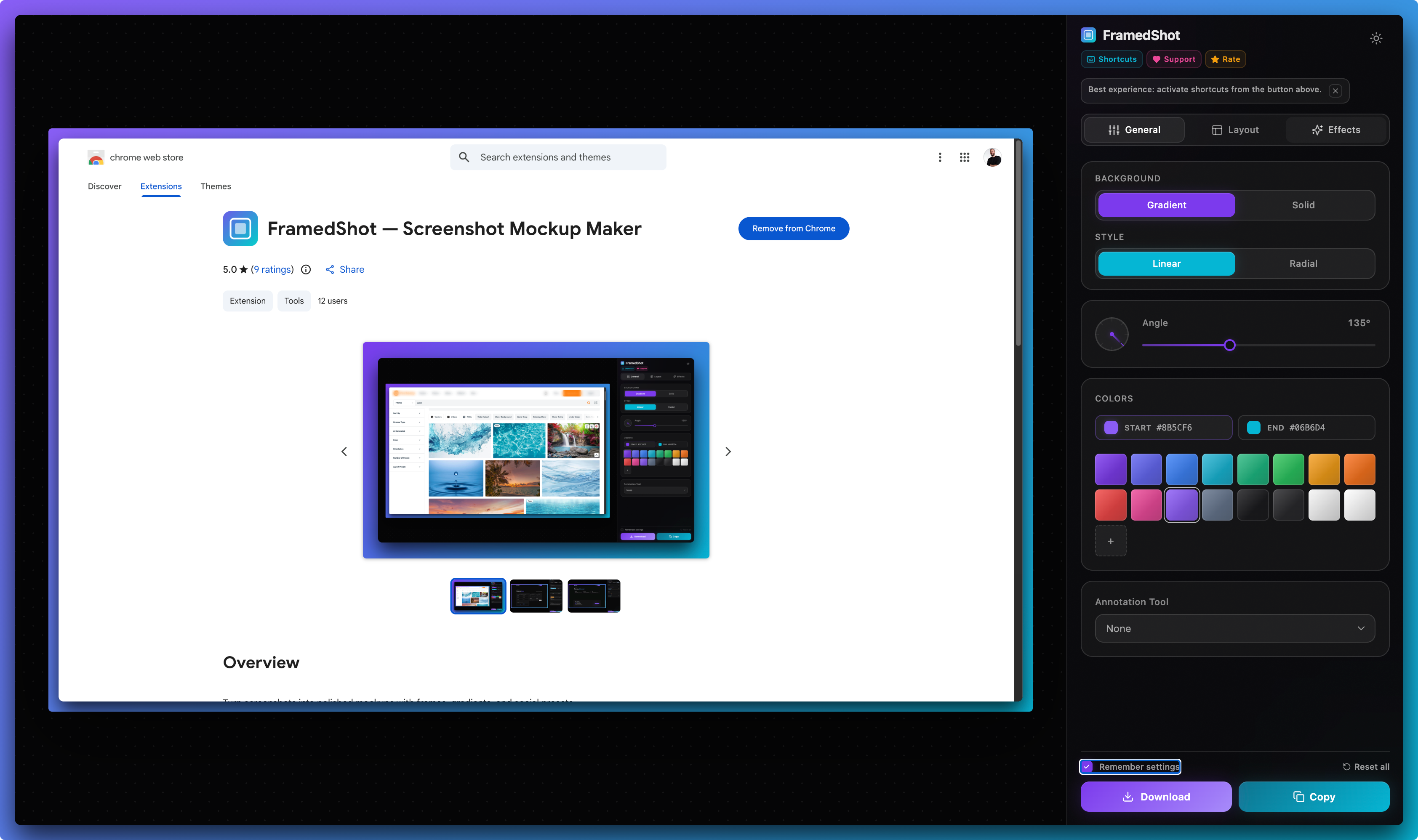
- Install the extension. Pin it to your Chrome toolbar for one-click capture access.
- Capture or upload. Visible-tab, selected area, or upload an existing screenshot file.
- Edit locally. Add a browser frame, annotate specific elements, redact any sensitive fields.
- Export. Copy to clipboard or download the finished image. Nothing is uploaded.
No account to create, no share link by default, no public URL.
FAQ
Does FramedShot upload my screenshots?
No. FramedShot processes screenshots in your browser and exports them directly to your device or clipboard. Nothing is uploaded during capture, editing, redaction, or export.
Is FramedShot really free?
Yes. FramedShot is free to install and use. There is no account requirement, no watermark on exported screenshots, and no paid tier needed for the core capture, edit, and export workflow.
Can I add arrows and text like in Lightshot?
Yes. FramedShot includes arrow annotations, text labels, and shapes. The annotation editor also includes redaction tools and browser frames in the same workflow — Lightshot does not have either of those.
What happens to my Lightshot screenshots?
Your existing Lightshot screenshots and prnt.sc links stay exactly as they are. FramedShot does not import or replace them. Keep what you have, then use FramedShot for new browser captures going forward.
Can I capture full-page scrolling screenshots?
Not natively. FramedShot captures visible-tab content and selected areas. For a scrolling full-page screenshot, use Chrome's built-in DevTools capture first, then import the result into FramedShot for editing and export.
Does FramedShot work on Windows?
Yes. FramedShot is a Chrome extension and runs on any operating system where Chrome is installed, including Windows 10 and 11.
Install free Lightshot alternative
Use FramedShot when you want the speed of a free screenshot tool with local processing, redaction, browser frames, and no account.
Install free from Chrome Web Store